Does Conviction send entries to the cloud? No.
On-device iOS journal. No account. Free / $3.99 one-time. iPhone 15 Pro or later. Verify with airplane mode. This page is the trust URL — facts, not poetry.
Download FreeDoes Conviction send entries to the cloud?
No. Conviction does not upload journal entries for AI. Pattern spotting, emotion recognition, and voice transcription run on your iPhone via Apple Intelligence.
Cloud journal apps send your text to a model API. Conviction does not. Optional iCloud backup is encrypted on your device before it leaves. We cannot read the backup.
More on the Apple Intelligence requirement: Apple Intelligence requirement. Product answer for a journal that stays on iPhone: journal that stays on iPhone. Airplane-mode how-to: offline / airplane-mode how-to.
Architecture, not a privacy policy paragraph.
Does Conviction work in airplane mode?
Yes. Open the app, turn radios off, record an entry. Journaling and on-device analysis do not need a network.
If an app requires the internet to transcribe or 'think,' it is not on-device. Conviction is built so the core loop works with radios off. That is the test. Run it.
Airplane-mode test
Open Conviction
No account required. No email. No server handshake before you can start.
Turn radios off
Airplane mode. Cellular, Wi-Fi, and Bluetooth off. The journal still opens.
Record. Confirm no network.
Talk or type. Transcription and analysis stay on-device. A packet sniffer during a session should not show journal content leaving the phone.
Facts: account, price, device
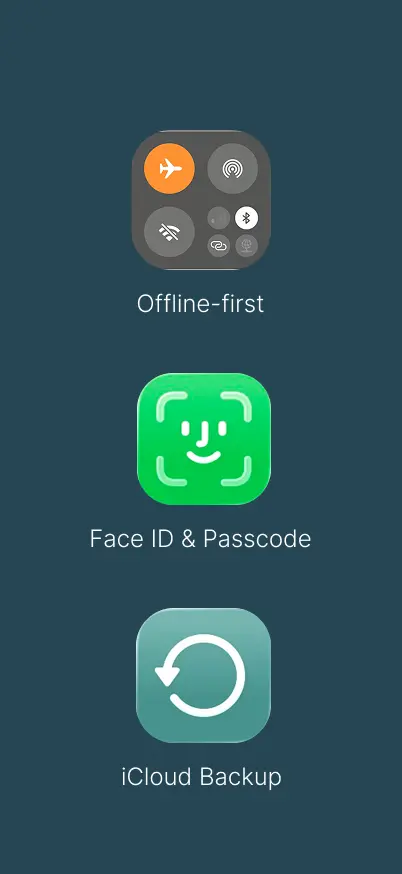

Does Conviction send entries to the cloud?
No. Everything Conviction does happens on your phone, powered by Apple Intelligence. Your journal is encrypted and only you hold the key. Backups are locked before they leave. Run a packet sniffer and verify it yourself.
- Stays on your phone Pattern spotting, emotion recognition, memory. It all happens on your device. No server ever sees your words.
- Locked to you Your journal is protected with the same encryption banks use. Unlock with Face ID. No one else can read it.
- Safe backup iCloud backups are locked before they leave your phone. Only you hold the key. We can't read your data.
Do I need an account?
No. No signup, no email, no password. Optional Apple Sign-In is only for encrypted iCloud backup and Apple Health. You can use the app with radios off from the first launch.
- No signup wall Install. Open. Journal. There is no 'create account to continue.'
- On-device analysis When you upgrade to Pro, pattern tools still run on the phone. They do not require an account with Conviction.
- Your data, your export Take your data anytime. Delete and get a report of what was removed.
What does it cost, and which iPhone?
Free to start. Pro is $3.99 one-time, not a subscription. Requires iPhone 15 Pro or later because Apple Intelligence is how the app works. See no-subscription pricing
- Talk on-device Voice becomes text on your iPhone. Audio is not uploaded.
- $3.99 one-time Pro is a one-time App Store purchase. Not a monthly plan. Not a yearly plan.
- iPhone 15 Pro+ Apple Intelligence devices only. That is a hard requirement, not a premium upsell.
And so much more.
Does Conviction send entries to the cloud?
No. Journal content is not sent to OpenAI, Anthropic, Groq, or Conviction servers for analysis. Contrast with cloud AI journals. Details: Apple Intelligence requirement
Airplane-mode test
Open the app, radios off, record, confirm no network is required to journal. If transcription needed the cloud, airplane mode would fail.
Do I need an account?
No account required. No email. Works offline from first open.
How much is Pro?
Free tier, then Pro at $3.99 one-time. Not a subscription. Canonical pricing: Free / $3.99 one-time.
Which iPhone?
iPhone 15 Pro or later. Apple Intelligence is required. Older iPhones cannot run the on-device models Conviction uses.
Free / $3.99 one-time. Not a subscription.
Complementary choices for different needs
Best for acute needs, diagnosis, and deep clinical work
Great for accountability and structured goal-setting
Daily self-reflection practice that supports both
- Talk or type. Your voice becomes entries on your device.
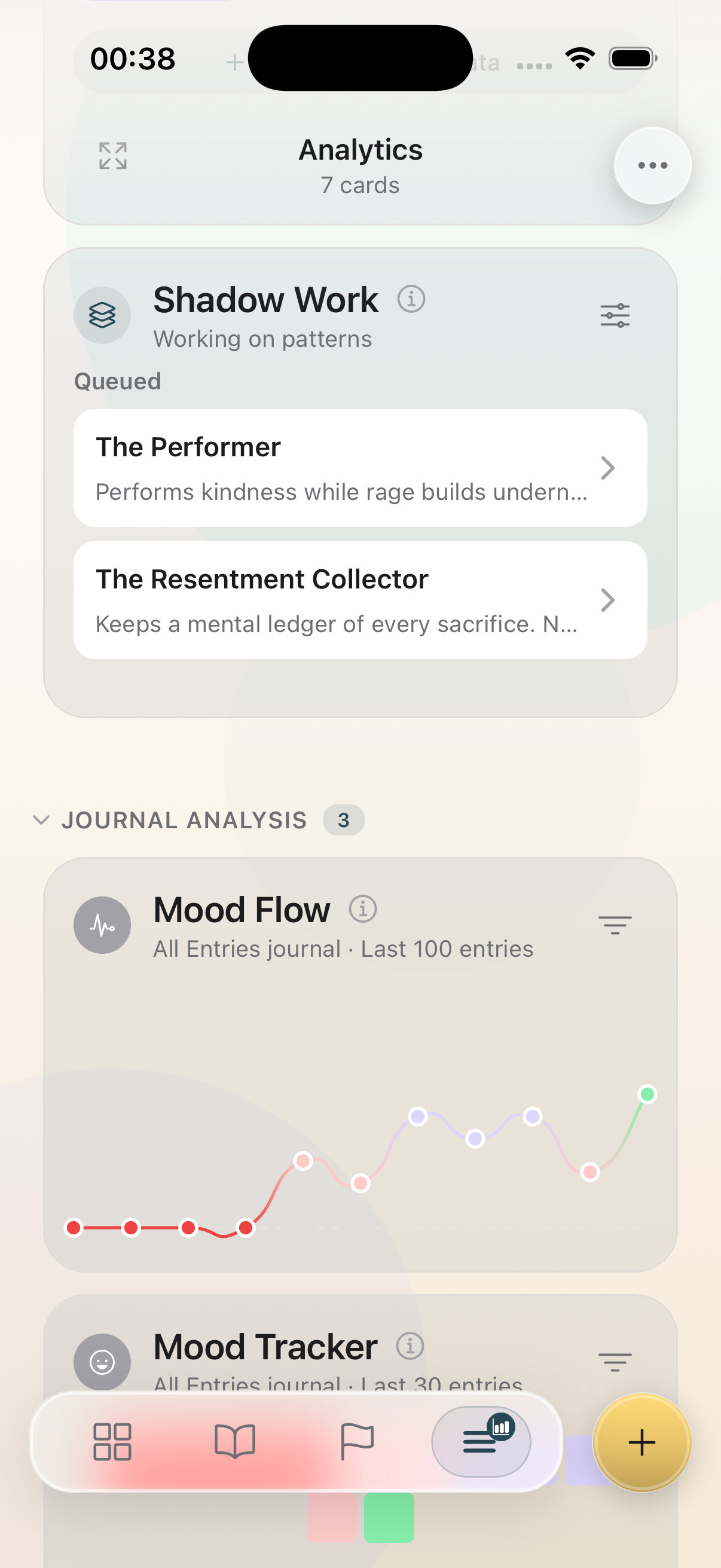
- 27-emotion tracking with Mood Flow visualization.
- Safe Harbor: guided somatic grounding exercises.
- Structured CBT and DBT journaling frameworks.
- Momentum System that never resets your progress.
- Encrypted on-device storage. Everything stays on your phone.
Pro
- All from free tier without limits
- Automatic mood detection of your thoughts
- Shadow pattern detection with goal tracking (Shadow Work)
- Personalized shadow pattern journaling prompts based on your pattern
- One-click in-depth analysis of your entries to help you spot recurring themes (Magic Mirror)
- Native Apple integration for iCloud backup and Apple Health
No account. No credit card to start. iPhone 15 Pro or later.
Frequently asked questions
Does Conviction send entries to the cloud?
No. Entries, voice, emotions, and patterns are processed on your iPhone. They are not uploaded to Conviction or to a third-party model API for analysis.
Does it work in airplane mode?
Yes. Open the app, turn radios off, record an entry. Journaling does not require a network. That is the verification test.
Do I need an account?
No. No email, no password, no signup. Optional Apple Sign-In is only for encrypted iCloud backup and Apple Health.
How much does Conviction cost?
Free to start. Pro is $3.99 one-time, not a subscription. Pay once on the App Store. Keep Pro.
Do I need iPhone 15 Pro or later?
Yes. Conviction requires Apple Intelligence. That is iPhone 15 Pro or later. It is how the app works, not an add-on.
Where exactly is my data stored?
On your phone, encrypted. Run a network monitor while journaling and you should not see journal content going out.
How does encrypted backup work?
iCloud backup is encrypted on your device before it leaves. We never have your encryption key. Even if compelled, we cannot read your backup.
How to verify the privacy claims
This page is the trust URL. These guides are the architecture and the product facts behind it.
- Private journal app: the product facts in article form
- Private journaling guide — what “private” has to mean
- On-device AI journaling vs a cloud companion
- GDPR and an on-device journal
- Voice journaling that does not upload audio
- Apple Intelligence requirement (iPhone 15 Pro+)
- Not a subscription: $3.99 one-time Pro
Inspect the network traffic. Nothing leaves.
Download on the App Store. Free to start. Pro $3.99 one-time. iPhone 15 Pro+.
Download FreeNo account. Airplane mode works. Export anytime.